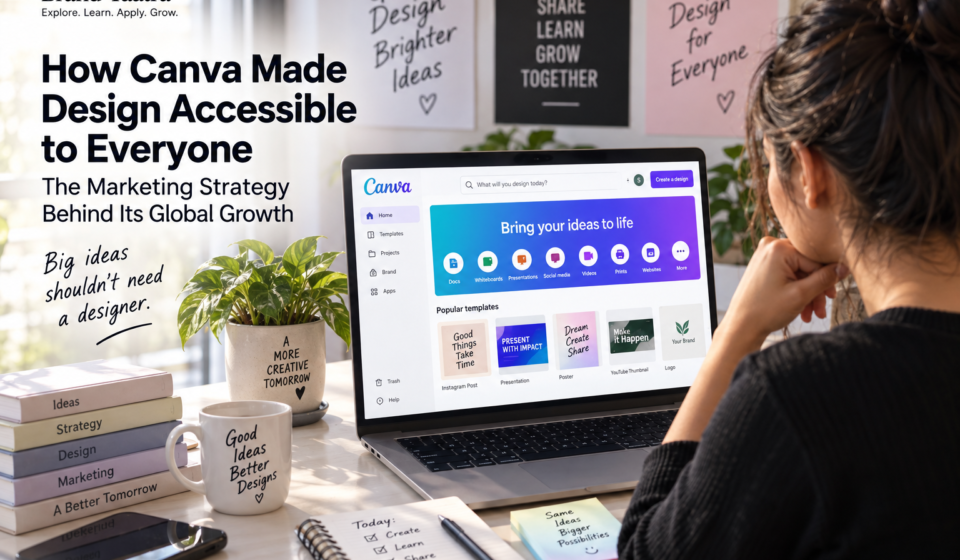
How Canva Made Design Accessible to Everyone: The Marketing Strategy Behind Its Growth

Imagine you have to make an Instagram post.
You open a professional design tool.
There are hundreds of buttons.
Layers.
Fonts.
Grids.
Color settings.
Export options.
You stare at the screen for a few seconds and think:
“Maybe I’ll just ask someone else to do it.”
That was the problem Canva understood.
The world was becoming increasingly visual, but professional design software was still largely built for professional designers.
Canva looked at that gap and asked a much simpler question:
What if designing something beautiful didn’t require you to be a designer?
That idea sounds obvious today.
But it wasn’t always.
In 2013, Canva launched as an online design platform built around a simple promise: make professional-quality design accessible to everyone.
More than a decade later, Canva says its community reached 260 million monthly users in 2025, while users created more than 12 billion designs during the year.
But Canva’s biggest achievement isn’t simply that millions of people use its software.
It’s that Canva changed people’s expectations about who is allowed to design.
And that makes Canva one of the most interesting marketing case studies of the modern internet.
The real problem Canva was solving
The obvious answer is:
Canva solved graphic design.
But that’s not quite right.
Canva solved something deeper.
Canva reduced the gap between having an idea and being able to visually communicate it.
Before Canva, if you wanted to create something that looked professional, you often needed one of three things:
- Design expertise
- Expensive software
- A professional designer
That created friction.
A small business owner might need a poster.
A teacher might need a presentation.
A student might need a project.
A marketer might need ten social media graphics.
A founder might need a pitch deck.
A restaurant might need a menu.
None of these people necessarily wanted to become graphic designers.
They simply wanted to communicate something visually.
That distinction was critical.
Canva wasn’t really selling design software.
It was selling creative capability.
The origin: Canva started by understanding the frustration
Canva’s story began before Canva itself.
Co-founders Melanie Perkins and Cliff Obrecht had built an online school yearbook business called Fusion Books.
That experience exposed Perkins to a recurring problem: traditional design software was difficult to learn, expensive and intimidating for people without formal design training.
The bigger insight was that the world was becoming more visual.
Yet the tools for creating visual communication were still designed largely around experts.
Canva was created to close that gap.
When Canva launched in 2013, its proposition was remarkably straightforward:
Anyone should be able to create professional-quality designs.
The original product combined a simple drag-and-drop editor with templates and a large library of visual assets.
That combination mattered.
Because Canva didn’t ask users to start from zero.
It gave them somewhere to start.
And that became one of its biggest growth advantages.
The insight that changed everything: Don’t teach people design. Help them design.
This is one of the most important lessons in Canva’s strategy.
A traditional design product might say:
“Here are powerful tools. Learn how to use them.”
Canva effectively said:
“Tell us what you want to make. We’ll help you get started.”
That’s a completely different philosophy.
Imagine two products.
Product A
“Create a new document.”
Blank page.
No guidance.
No context.
No idea what size to use.
Product B
“What do you want to create?”
Instagram Post.
Presentation.
Poster.
Resume.
YouTube Thumbnail.
Flyer.
Business Card.
Invitation.
You pick one.
Then Canva gives you hundreds of starting points.
The second experience dramatically reduces cognitive load.
And this is where Canva’s product strategy and marketing strategy become almost impossible to separate.
The product itself becomes the marketing.
Canva’s secret weapon: Templates
If there is one feature that deserves enormous credit for Canva’s growth, it is the template ecosystem.
Templates solve a psychological problem that has nothing to do with graphic design.
They solve the blank-page problem.
A blank canvas creates uncertainty.
Where should I put the headline?
Which font should I use?
How big should the image be?
What colors work together?
What should the layout look like?
A template answers these questions before the user even asks them.
Instead of:
“Create something.”
Canva gives you:
“Start here.”
That tiny difference can dramatically change activation.
And Canva expanded the idea far beyond generic design templates.
You can search for designs around specific jobs and use cases.
For example:
- Instagram posts
- Presentations
- Resumes
- Menus
- Posters
- Certificates
- Infographics
- YouTube thumbnails
- Business proposals
- Invitations
- Lesson plans
- Social media content
This creates an important growth loop.
More templates → more use cases
More use cases → more searches
More searches → more users
More users → more designs
More designs → more templates and inspiration
More templates → more use cases
And the loop continues.
Canva didn’t just build a tool. It built a library of possibilities.
This is where Canva’s strategy becomes especially interesting.
Suppose someone searches:
“real estate Instagram post template”
They aren’t necessarily searching for Canva.
They’re searching for a solution.
Canva can potentially become the place where that solution is found.
The same thing happens with:
- presentation templates
- resume templates
- wedding invitations
- business cards
- classroom presentations
- social media calendars
- posters
- certificates
- pitch decks
- marketing materials
This is powerful because the product is organized around user intent, not simply product features.
The user isn’t thinking:
“I want to use Canva’s visual communication suite.”
They’re thinking:
“I need a presentation.”
Or:
“I need an Instagram post.”
Or:
“I need a resume.”
Canva meets the user at the problem.
That is excellent product marketing.
The genius of Canva’s positioning
Canva could have positioned itself as:
“A simpler graphic design software.”
But that’s weaker.
Because now you’re comparing Canva against design software.
Instead, Canva built around a much broader idea:
Design should be accessible to everyone.
That positioning expands the market.
Professional design software primarily speaks to people who already consider themselves designers.
Canva speaks to everyone who needs to communicate visually.
That’s a much larger audience.
The positioning shift
Traditional design software:
“Design if you’re a designer.”
Canva:
“Design because you have something to communicate.”
That is a massive market expansion.
Canva’s most important psychological trick: Make users feel capable
Canva isn’t just easy.
It makes people feel like they can design.
That’s different.
Imagine someone who has never used Photoshop creating a decent-looking presentation in ten minutes.
They don’t necessarily walk away thinking:
“Canva has excellent interface architecture.”
They think:
“Wait. I can actually make this.”
That feeling is powerful.
It creates confidence.
And confidence encourages repetition.
The first design becomes the second.
The second becomes a social post.
The social post becomes a presentation.
The presentation becomes a brand kit.
The brand kit becomes a team’s workflow.
Suddenly Canva isn’t something the user tried.
It’s something they use.
The freemium strategy: Let the product sell itself
Canva also benefited from a classic freemium model.
Users can start creating without paying for the full product.
That’s important because design software has a high psychological barrier.
Asking someone to pay before they’ve experienced the product creates friction.
Canva reverses that.
The basic journey looks like this:
Discover Canva
↓
Choose a template
↓
Create something
↓
Experience the product
↓
Become familiar with the workflow
↓
Need more features/assets
↓
Consider upgrading
The product demonstrates its value before asking for a significant commitment.
That’s fundamentally different from selling software through a long sales pitch.
The user experiences the value.
Free users aren’t just customers. They’re distribution.
This is where freemium becomes more interesting from a marketing perspective.
Imagine a student creates a presentation.
A small business creates an Instagram post.
A freelancer creates a proposal.
A creator makes a YouTube thumbnail.
The design gets shared.
Someone else sees it.
They ask:
“What did you make that in?”
That person discovers Canva.
The product can therefore spread through the work people create with it.
This is a form of product-led distribution.
The output can introduce someone to the product.
And when millions of people are creating visual content, even a small amount of this behavior can compound.
Canva turned users into a growth engine
Canva’s growth isn’t based only on traditional advertising.
Its ecosystem creates several overlapping distribution mechanisms.
1. Search
People search for things they want to create.
2. Templates
Canva provides ready-made solutions.
3. Sharing
Users share designs with others.
4. Collaboration
Teams invite other people into Canva.
5. Education
Students and teachers learn the platform.
6. Content creation
Creators use Canva to produce more content.
7. Word of mouth
People recommend the tool to others.
8. Brand familiarity
Repeated exposure makes Canva increasingly familiar.
That’s a powerful acquisition system.
Education was more than a social initiative
Canva’s education strategy is another fascinating part of the growth story.
Canva offers Canva Education free to eligible K–12 educators, students and schools.
The platform has expanded heavily into classroom workflows, presentations, assignments, interactive learning and AI-powered educational tools.
Canva reported that its education ecosystem reached 100 million teachers, students and education leaders using Canva every month.
Think about the long-term strategic effect.
A student learns Canva at school.
Then uses it for a university presentation.
Then creates a resume.
Then joins a startup.
Then uses Canva at work.
The product can become familiar before the person even enters the professional world.
That’s not simply customer acquisition.
It’s habit formation over time.
Canva understood the creator economy early
Canva also grew alongside the explosion of creators, influencers and small businesses.
The internet dramatically increased the number of people who needed to publish visual content.
Think about how many people now create:
- Instagram posts
- YouTube thumbnails
- LinkedIn posts
- Presentations
- Newsletters
- PDFs
- Courses
- E-books
- Ads
- Reels
- Event graphics
The number of people producing visual communication exploded.
Canva didn’t need everyone to become a professional designer.
It needed everyone to become a visual communicator.
That market is much bigger.
The Canva ecosystem became bigger than graphic design
This is another important strategic evolution.
Canva started as a design tool.
But the company gradually expanded into a broader visual communication platform.
Presentations.
Video.
Whiteboards.
Docs.
Websites.
Print.
Social publishing.
Data visualization.
AI-powered creation.
Education.
Enterprise collaboration.
The strategic direction is clear.
Canva doesn’t want to be the place where you make one graphic.
It wants to become the place where ideas move from concept to communication.
That is a much larger opportunity.
Canva described 2025 as a major step toward a broader “Creative Operating System,” connecting its visual tools and AI capabilities.
Its 2025 review reported 260 million monthly users and $3.5 billion in revenue.
The important lesson isn’t the size of the numbers.
It’s what the expansion tells us.
Canva is moving from:
design tool → visual communication platform → broader creative workflow
AI changes Canva’s game again
AI could have been a threat to Canva.
After all, if AI can generate an image, presentation or social post from a prompt, why would someone need a design platform?
Canva’s response has been to integrate AI into the existing workflow rather than treat AI as a separate product.
That’s strategically important.
Instead of:
AI vs Canva
the goal becomes:
AI inside Canva.
A user can move from:
Idea
↓
Prompt
↓
Generated content
↓
Editable design
↓
Brand styling
↓
Collaboration
↓
Publishing
The platform therefore becomes more useful as AI makes creation faster.
Canva reported that its AI products had been used more than 27 billion times, with usage having tripled over the preceding year, in a 2026 company update.
That suggests Canva is trying to position itself not merely as a design editor, but as an interface between human ideas and finished creative work.
Canva’s international strategy: Global product, local relevance
Another underrated part of Canva’s growth is localization.
Canva has expanded across countries, languages and different user groups.
Its strategy isn’t simply:
“Translate the website.”
It’s also about understanding what people actually create.
A small business in India may have very different visual needs from a startup in Silicon Valley.
A teacher in Indonesia may need different classroom resources from a marketing team in Germany.
A wedding invitation in India can look very different from one in Australia.
Canva has increasingly emphasized local templates, content and regional communities.
That’s important because accessibility isn’t only about interface simplicity.
Accessibility also means relevance.
Canva built a marketplace around creation
Canva also recognized that it couldn’t create every useful design asset itself.
So it opened parts of the ecosystem to creators and designers.
Templates, graphics, photographs and other creative assets can become part of a larger marketplace and contributor ecosystem.
This creates another interesting flywheel.
Canva provides the platform
↓
Creators provide content
↓
More content creates more choice
↓
More choice attracts more users
↓
More users create more demand
↓
More creators have an incentive to participate
↓
The ecosystem becomes stronger
This is a classic platform effect.
And it is much harder for a competitor to copy than simply copying a drag-and-drop editor.
The real Canva moat isn’t the drag-and-drop editor
This is an important distinction.
A competitor can copy:
- Templates
- Drag-and-drop editing
- AI generation
- Stock images
- Presentations
But copying Canva’s entire ecosystem is much harder.
Its advantage increasingly comes from the combination of:
Users + templates + content + workflows + brand assets + collaboration + education + creators + distribution + familiarity
That is a much stronger moat than any single feature.
Canva turned complexity into simplicity
This might be Canva’s biggest marketing lesson.
Traditional software often communicates power through complexity.
More buttons.
More settings.
More control.
More features.
Canva took almost the opposite approach.
It tried to hide complexity behind:
- Templates
- Search
- Drag and drop
- Presets
- Simple workflows
- Visual examples
- AI assistance
- Ready-made formats
The user doesn’t need to understand everything happening underneath.
They just need to get the job done.
This is a broader product-marketing principle:
People don’t necessarily want powerful tools. They want powerful outcomes without unnecessary difficulty.
Canva’s growth flywheel
Put the entire strategy together and you get something like this:
More people need visual communication
↓
Canva makes creation easy
↓
Templates reduce the blank-page problem
↓
Free access reduces adoption friction
↓
People create and share designs
↓
More people discover Canva
↓
More users create more designs
↓
Creators contribute more assets and templates
↓
More use cases emerge
↓
Canva becomes useful for more jobs
↓
Teams and organizations adopt it
↓
Users become more deeply embedded
↓
Premium and enterprise opportunities grow
↓
Revenue funds more product development
↓
Better product creates more adoption
↓
The cycle repeats
That is the real Canva marketing machine.
What Canva teaches marketers about positioning
Canva didn’t win by saying:
“We have better design software.”
It won by changing the conversation.
From:
Graphic design
to:
Visual communication
From:
Professional designers
to:
Everyone
From:
Learning software
to:
Getting something done
From:
Blank canvas
to:
Start with a template
From:
Software purchase
to:
Try it for free
This is positioning doing real strategic work.
What smaller brands can copy from Canva
You obviously cannot copy Canva’s scale.
But you can copy its principles.
1. Solve a frustrating problem
Don’t start with:
“What product can we build?”
Start with:
“What is unnecessarily difficult for people?”
2. Reduce the first step
If customers don’t know where to begin, give them a starting point.
Templates aren’t limited to design.
You can create templates for:
- Marketing plans
- Email campaigns
- Reports
- Proposals
- Social calendars
- Business processes
- Checklists
- Strategy documents
3. Sell capability, not features
Don’t say:
“Our software has 40 features.”
Say:
“Create your campaign without needing a designer.”
The second communicates an outcome.
4. Let people experience value early
Freemium isn’t always the answer.
But reducing the barrier between discovery and value is.
Let people:
Try → experience → understand → trust → buy
rather than:
Read → compare → hesitate → maybe buy
5. Build around use cases
Customers rarely wake up thinking about your feature.
They think about a problem.
“I need a presentation.”
“I need leads.”
“I need a logo.”
“I need to launch this product.”
“I need more customers.”
Build your marketing around those jobs.
6. Turn customers into distribution
Ask:
Does using our product naturally expose other people to it?
If yes, you may have a built-in growth mechanism.
If not, think about how the product could encourage sharing, collaboration, referrals or community participation.
7. Build ecosystems, not just features
A feature can be copied.
An ecosystem is harder.
Think about:
- Community
- Creators
- Partners
- Templates
- Integrations
- Education
- Content
- Marketplaces
- Data
- Workflows
The more pieces reinforce each other, the stronger the business becomes.
But Canva isn’t perfect
A good case study shouldn’t become a fan page.
Canva’s expansion creates its own risks.
More features can create more complexity
Canva’s original appeal was simplicity.
As the platform expands into documents, websites, video, spreadsheets, AI and enterprise workflows, maintaining that simplicity becomes harder.
The bigger Canva becomes, the more important information architecture and product clarity become.
AI can commoditize creation
Generative AI makes it easier for competitors to produce designs instantly.
Canva therefore has to prove that its value isn’t simply:
“We can generate an image.”
Its stronger opportunity is:
“We help you turn an idea into finished, on-brand communication.”
That’s a much harder problem.
Templates can become interchangeable
Templates are powerful because they reduce effort.
But if every competitor offers thousands of templates, templates alone stop being a moat.
Canva therefore needs to keep strengthening the ecosystem around them.
The biggest lesson from Canva
The most interesting thing about Canva isn’t that it made graphic design easier.
It’s that Canva recognized a much bigger change:
The internet was turning everyone into a publisher.
Businesses needed social posts.
Teachers needed presentations.
Students needed projects.
Creators needed thumbnails.
Founders needed pitch decks.
Employees needed reports.
Small businesses needed marketing materials.
People needed to communicate visually.
The old assumption was:
“Design is a specialist skill.”
Canva helped create a new assumption:
“If you have something to say, you should be able to make it look good.”
That is powerful positioning.
And that’s why Canva became much more than another design tool.
It turned design from a profession into a capability.
Canva’s Marketing Playbook
If we reduce the entire case study to a practical framework, it looks like this:
| Canva Principle | What Canva Did | What Marketers Can Learn |
|---|---|---|
| Find friction | Design software was difficult | Identify what customers struggle with |
| Expand the market | Designed for everyone | Don’t unnecessarily define your audience narrowly |
| Reduce complexity | Drag-and-drop interface | Make the desired outcome easier |
| Remove the blank page | Templates | Give customers a starting point |
| Lower adoption friction | Free access | Let customers experience value |
| Build distribution | Sharing and collaboration | Make usage create awareness |
| Build an ecosystem | Creators, templates, assets | Create network effects |
| Own use cases | Resumes, presentations, social, etc. | Market around customer jobs |
| Build habits | Repeated creation | Make the product part of a workflow |
| Expand carefully | Visual Suite | Grow from the core problem into adjacent needs |
| Embrace new technology | AI integrated into creation | Use technology to strengthen your core promise |
| Stay relevant locally | Regional content and communities | Global scale still needs local understanding |
Final takeaway
Canva didn’t make people love graphic design.
It made people believe they could do it.
That’s a very different achievement.
And it reveals one of the strongest principles in modern marketing:
The best products don’t always create a new desire.
Sometimes they take something people already want and remove the reason they couldn’t have it.
People already wanted beautiful presentations.
They wanted better social media posts.
They wanted professional resumes.
They wanted attractive invitations.
They wanted to communicate ideas visually.
Canva simply made the distance between:
“I want this”
and
“I can make this”
much smaller.
And once a company owns that gap, growth can become much easier.
That is the real Canva marketing strategy.
Frequently Asked Questions
What is Canva’s marketing strategy?
Canva’s marketing strategy combines product-led growth, freemium adoption, template-driven discovery, SEO, community, education, collaboration, creator ecosystems and word-of-mouth. Its central positioning is making visual communication accessible to people who may not have formal design skills.
Why is Canva so successful?
Canva reduces the complexity of design through templates, drag-and-drop creation and easy-to-use workflows. Its free entry point reduces adoption friction, while its large ecosystem of templates, assets, collaboration features, education and business tools increases the number of reasons people can use the platform.
How does Canva attract users?
Canva attracts users through search-driven template discovery, free access, sharing, collaboration, education, creators, content and word of mouth. Its large number of use cases also gives people many different reasons to discover the platform.
How does Canva make money?
Canva uses a freemium model in which users can access a free version while premium features, assets, plans and business offerings provide opportunities for monetization.
What makes Canva different from traditional design software?
Traditional professional design software has historically emphasized powerful controls for skilled users. Canva emphasizes accessibility, templates, collaboration and fast creation, allowing people without formal design training to produce visual content.
Is Canva an example of product-led growth?
Yes. Canva has many characteristics of product-led growth: users can experience the product directly, the free product provides an entry point, usage creates outputs that can be shared, and collaboration can bring additional users into the platform.
What can small businesses learn from Canva?
Small businesses can learn to simplify their customer journey, provide starting points instead of blank pages, market around customer problems rather than features, reduce barriers to trial and build products that naturally encourage sharing or repeat use.
What is Canva’s biggest competitive advantage?
Canva’s advantage is increasingly broader than its design editor. Its ecosystem of users, templates, creative assets, workflows, collaboration, education, creators, AI and brand-management capabilities creates a platform that is more difficult to replicate than an individual design feature.
Brand Yaatra’s takeaway
Canva is a reminder that great marketing isn’t always about convincing people to want something.
Sometimes the biggest opportunity is to find something people already want—
and remove the friction standing between them and it.
That’s how you turn a complicated category into an everyday habit.